Every business today, whether a trendy startup or a family shop in a small town, needs a strong online presence. A website is your digital storefront and marketing hub, accessible 24/7 to customers beyond your immediate locale. Crucially, a well-crafted website also builds credibility and trust – when faced with two businesses, one with a sleek professional site and one without any online presence, the choice for customers is clear.
A polished website signals professionalism and reliability. In fact, around 75% of consumers admit they judge a company's credibility based on its website design. These days, investing in a quality website is not just an option; it’s often the difference between winning a client or losing them to a competitor.
Building a website may seem daunting, but it can be broken down into clear stages. In this guide, we’ll walk through the entire process of creating a business website from the initial concept to a successful launch. We’ll cover planning your strategy, designing for great user experience, developing with the right technology, optimizing for search engines, and finally launching your site to the world. Follow these steps – and don’t hesitate to seek professional help when needed – and you’ll end up with a website that not only looks impressive but also works effectively to grow your business.

A typical website development life cycle flows through multiple stages, including project definition, planning, design, content creation, development, testing, and maintenance. Each stage builds on the previous one to ensure the final website is well-planned, user-friendly, and functional. Even after launch, ongoing maintenance is vital to keep the site updated, secure, and performing well.
1. Defining your concept and goals
Every successful website starts with a clear concept and goals. This planning phase is the foundation that will guide all subsequent steps. Begin by answering some fundamental questions about your project:
- Purpose of the site: What do you want your website to achieve? It could be to showcase your services, sell products online, provide information, or all of the above. Defining the primary purpose will shape many decisions down the line.
- Target audience: Who are your ideal visitors or customers? Identify your target market's demographics and preferences. A site aimed at local customers in South Africa might differ from one targeting international audiences. Understanding your audience helps tailor the design, content, and features to their expectations.
- Unique value proposition: What makes your business special or different from competitors? Clarify the key message and value you offer, so your website can communicate it effectively.
- Business goals and KPIs: Set specific, measurable goals for what the website should accomplish. For example, you might aim to get a certain number of quote requests per month, online sales, or newsletter signups. These goals will be your benchmarks for success, and they inform what features or calls-to-action the site needs.
- Competitive research: Take a look at competitors’ websites to gather inspiration and note what works well (and what doesn’t). Analyzing strengths and weaknesses of competitor sites can help you position your brand and find opportunities to stand out.
By clearly defining these elements, you create a roadmap for your website project. Outlining business details and mission, target audience, and key offerings upfront helps in developing an effective strategy. If your goal is to reach customers in South Africa specifically, this is also the time to decide on your domain name – choosing a local .co.za domain can signal to South Africans that you’re a local, relevant business, and it may even give you a slight edge in local search visibility. On the other hand, if you plan to expand globally, a .com might be preferable. Either way, pick a domain that’s easy to remember, reflects your brand, and is relevant to your business.
Around 75% of consumers admit they judge a company's credibility based on its website design.
Tip: Make a checklist of requirements based on your goals. For example, if selling products is a goal, you’ll need e-commerce capabilities; if generating leads is key, you’ll want prominent contact forms or a "Request a Quote" button on the site. Deciding these broad strokes during the concept phase will save you time later and ensure your website is aligned with your business objectives from the start.
2. Planning the website structure and technology
With your concept and goals clear, the next step is detailed planning of the website’s structure and technology. This stage is about translating your ideas into a concrete blueprint for the site before any visual design or coding begins.
Organize the site structure
Start by outlining the pages and navigation of your website. A helpful tool here is to create a sitemap, which is essentially a bird’s-eye view of all the pages on your site and how they interrelate. It will list all the main pages and any sub-pages. Mapping this out ensures you cover all necessary content and achieve a logical navigation flow for users. It also benefits SEO by clarifying the site’s structure for search engine crawlers.

Plan user journeys
Consider how a potential customer will navigate your site. What information might they look for first? For example, a visitor might land on your homepage, then go to a Services page, then to the Contact page to request a quote. Make sure your sitemap supports intuitive pathways for these journeys. You might sketch out conversion funnels – the steps a user takes toward a goal – and ensure those pages are easy to find.
Create wireframes
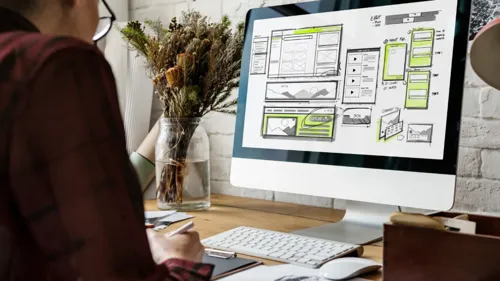
Once you know which pages you need, plan the layout of each page by creating wireframes. A wireframe is like a skeletal outline or blueprint of a webpage, showing where key elements will go without getting into visual design details yet. It defines the placement of content and functional elements on each type of page. Wireframes can be simple hand-drawn sketches or done with digital tools, and they should cover both desktop and mobile layouts.
It’s much easier and cheaper to adjust a layout at the wireframe stage than after everything is coded!
Decide on technology and platform
Planning also involves choosing how you will build the site. Will you use a Content Management System (CMS) like WordPress, or will it be a completely custom-developed site? For most small and medium businesses, a CMS is a popular choice because it allows easier updates and typically comes with pre-built functionality. If you need an online store, you might consider platforms specialized for e-commerce, such as Shopify, or plugins like WooCommerce for WordPress. On the other hand, if your website requires highly custom features or integrations, a custom development might be warranted – but this typically requires a professional developer or team.
When choosing your platform and tech stack, consider factors like your budget, the level of customization needed, and your ability to maintain the site. Also plan for scalability – your website should be built so it can grow with your business, handling more content, traffic, and new features over time.
Secure a domain and hosting
At this stage, you should also be securing your domain name and choosing a web hosting provider. For South African businesses, it can be beneficial to choose a hosting provider with servers in South Africa or nearby, which can reduce load times for local visitors. Ensure the host offers sufficient performance, security features, and support. Don’t forget to also plan for an SSL certificate so that your site will be served securely over HTTPS – this is important for protecting user data and is considered a must-have by both users and search engines.
3. Designing the user interface and experience
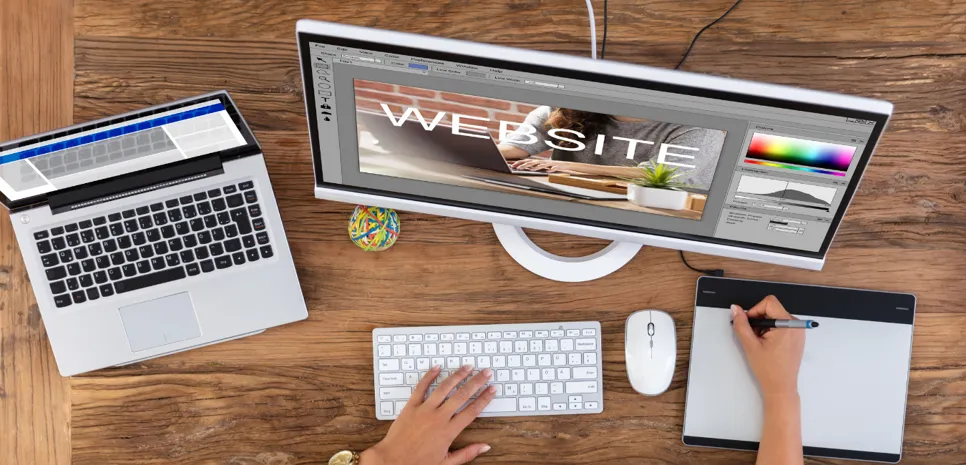
With the site blueprint in hand, it’s time for the exciting part – designing the website’s look and feel. Web design is not just about making a site “pretty”; it’s about crafting an interface that is visually appealing, user-friendly, and aligned with your brand. Remember, first impressions count: your site’s design heavily influences how users perceive your business’s credibility and quality.
Apply consistent branding
If your business already has a brand identity, your website should consistently reflect that. Effective web design starts with defining the visual elements – your color palette, typography, imagery style, and overall mood – that match your brand personality. These elements should remain consistent across your website and other channels to reinforce brand recognition and trust.
Design for your audience
Keep your target customers in mind and design in a style that resonates with them. A site for a trendy boutique hotel might use bold imagery and elegant fonts, whereas one for a financial consulting firm might opt for a clean, straightforward layout with conservative colors. User experience (UX) should be at the forefront – put yourself in the visitor’s shoes and make sure it’s easy for users to find what they need and to take the actions you want them to take.
Mobile-responsive design
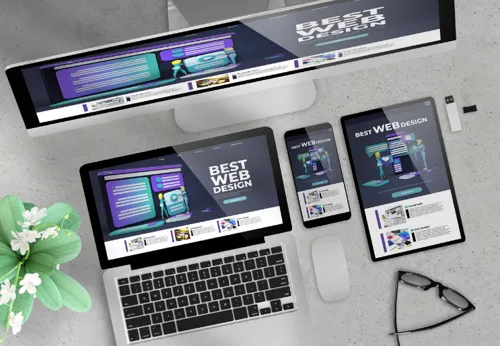
It is absolutely crucial that your design is responsive, meaning it adapts and looks great on all screen sizes from large desktop monitors down to smartphones. More than half of all web traffic now comes from mobile devices, so a site that isn’t mobile-friendly will turn away a huge portion of potential visitors. During the design phase, create mockups or prototypes for both desktop and mobile views of key pages. Check that text remains readable on small screens, images scale correctly, and navigation is easy. Not only does this ensure a good experience, but search engines like Google also use mobile-friendliness as a ranking factor.
4. Content creation and seo (including local seo)
While design is underway, you should also be working on content creation – the text, images, and other media that will populate your website. Content is king: it’s what communicates your message to visitors and it plays a huge role in converting visitors into customers. Moreover, content is crucial for Search Engine Optimization (SEO), which is how your site will be found via Google and other search engines.
Content is king: it’s what communicates your message to visitors and it plays a huge role in converting visitors into customers.
Plan out your pages and content needs
Refer back to your sitemap and determine what content is needed for each page. Writing the copy for each page is a critical task. It’s often worth investing in a professional copywriter, or at least taking the time to write clear, error-free, and persuasive text. Good copy should speak directly to your target audience’s needs and motivations. Focus on the value and outcomes for the client.

Incorporate seo from the start
As you create content, think about what keywords people might use to search for your products or services. Do some keyword research to identify popular search terms related to your business. Once you have a list of relevant keywords, incorporate them naturally into your page content. Use strategic keyword optimization throughout your content to answer the search intent of potential customers. This means each page should have a focus topic/key phrase, and you include that in the page’s title, headings, and body where appropriate. However, avoid “keyword stuffing” – the writing still needs to sound natural and valuable to a human reader.
Local seo considerations
Since your target audience is in South Africa, you should optimize for local search as well. Local SEO is about making sure your business appears in location-based searches. Include your business’s location naturally in your website content where relevant. Ensure your site’s contact page has your business name, address, and phone number (NAP) in text form and that this is consistent everywhere else on the web. Create a Google Business Profile listing for your company, as this is crucial for appearing on Google Maps and in local search results. Encourage customer reviews, especially on your Google profile, and list your business on local directories.
Prepare multimedia content
Content isn’t just text. You should also gather or create images, graphics, and possibly videos for your site at this stage. Ensure you have high-resolution versions of your logo and any product photos or team headshots you plan to use. If you don’t have quality images, you might consider hiring a photographer or using stock photos that align with your brand.
Content tone and compliance
When writing content, keep a tone that matches your brand and appeals to your audience. Additionally, ensure your content is honest and accurate. Remember any legal requirements – for example, South African websites that collect personal data may need to comply with the POPIA. This means you should have a Privacy Policy page explaining how user data is handled, and if you use cookies, you should disclose that, possibly via a cookie consent notice.
5. Developing the website
Now comes the development phase – where all the planning, design, and content get transformed into a working website. This step can vary greatly depending on the technology and platform you chose in the planning stage. It involves coding and configuring the site’s front-end and back-end to make everything function properly.
Front-end development
Front-end developers will take the visual designs and convert them into HTML, CSS, and JavaScript. These are the core languages that browsers understand to display web pages. At this stage, the developer builds out each page template according to the design specifications. They will ensure the site looks as intended on all devices, implementing the responsive behavior defined during design.

Back-end development
If your site has more complex features, back-end coding comes into play. This could include setting up databases, implementing user accounts, or integrating with external systems. Many small business sites might not require extensive back-end coding beyond what a CMS provides, but if you need a custom module or a unique interactive tool, this is when it's built.
For an e-commerce website, development will involve configuring the shopping cart system, setting up product categories, connecting a payment gateway, and configuring shipping/tax settings. Ensuring the checkout process is smooth and secure is a critical part of development for online stores.
Integration of content
As development progresses, your content gets inserted into the site. This might involve creating the pages in the CMS and pasting in the text, or if it’s a static site, directly writing the content into the HTML. It’s important that the content is formatted nicely according to the design. The developer will also ensure that any dynamic content is hooked up correctly.
6. Testing and quality assurance
Before you unleash your new website to the world, testing is an absolute must. This phase is about catching and fixing any issues to ensure that users have a smooth experience and that your site meets all quality standards. Skipping thorough testing can lead to visitors encountering broken features or errors, which can harm your credibility.

Here’s a checklist of what to test:
Functionality testing
Go through every feature and interactive element on the site. Click every menu item and link to ensure none are broken. Submit every form to verify they work. If you have an e-commerce shop, go through the entire checkout process. Test any dynamic elements like slideshows or video players. If your site has user accounts, test the registration, login, and password reset functions.
Responsive & device testing
Test the site on multiple devices and screen sizes. Use actual phones and tablets if you can. Check that images resize correctly, navigation menus are user-friendly on mobile, and that there’s no horizontal scrolling or weirdly cut-off text.
Speed performance
Load the site and see how fast it appears. Tools like Google PageSpeed Insights can analyze your site’s loading speed and suggest improvements. If any page takes more than a few seconds to load, figure out why and optimize it. Slow-loading websites are a major turn-off.
Skipping thorough testing can lead to visitors encountering broken features or errors, which can harm your credibility.
During testing, document any bugs or issues found and get your development team to fix them. It is much better for you to catch a problem now than for a customer to find it later. It’s often wise to involve a few different people in testing, if possible. Fresh eyes may catch things you overlooked. Only once you’re satisfied that the site is working flawlessly should you proceed to the next step: the big launch!
7. Launching the website (go live!)
Launching your website is an exciting milestone. A successful website launch involves a bit more than just pushing a button – there are several tasks to ensure a smooth transition from development to a live, accessible site.
Deploy to the live server
If you built the site on a staging server, you’ll now need to deploy it to your live hosting environment. When you switch your domain’s DNS settings to the new site’s server, keep in mind it can take some hours for the change to propagate worldwide. To minimize confusion, you might want to schedule the launch at a low-traffic time.

Set up analytics and monitoring
As soon as the site is live, you’ll want to start tracking its performance. Install and configure analytics tools like Google Analytics if you haven’t already. Also set up Google Search Console for your site; this will allow you to submit your XML sitemap, monitor your site in search results, and catch any crawl errors. Additionally, consider setting up uptime monitoring to alert you if your site goes down.
Performance and security checks
Ensure that your SSL certificate is properly installed and the site is loading as HTTPS by default. An SSL certificate is critical at launch – it encrypts data and displays the padlock icon in browsers, which is a trust factor and affects SEO ranking. Also double-check that any demo or test content is removed. Ensure cybersecurity measures are in place, such as up-to-date software, secure passwords, and regular backups from day one.
Monitor closely
Once the site is live, keep a close eye on it, especially in the first few days. Watch your analytics for any unusual drop-offs or behavior that might indicate an issue. Also keep an eye on Search Console for any immediate errors. Be ready to respond and fix any issues promptly. Remember that launching is not the end of the journey; it’s just the beginning of your site’s life on the internet.

8. Post-launch maintenance and growth
Congratulations, your website is live! But the process doesn’t end at launch. The period after launch is critical for ensuring your website continues to perform well and deliver results for your business. Ongoing maintenance and optimization will keep your site healthy, secure, and effective.
Regular updates and content additions
Make it a habit to keep your website content up to date. An outdated website can send the wrong signal to visitors. Also, adding new content periodically gives people a reason to come back and can improve your SEO, since search engines favor sites that are updated regularly. Consider creating a content calendar post-launch to keep the site “alive” rather than static.
Technical maintenance
Websites require periodic technical maintenance to stay secure and functional. If using a CMS, there will be core updates, plugin updates, and theme updates. Set a schedule to check for and apply them, but always back up your site first. Perform regular backups, monitor for any broken links, and check site speed periodically. Ensure forms and interactive elements continue to work by doing occasional tests, and implement security measures to protect against threats.

User feedback and continuous improvement
After launch, gather feedback from actual users. Use data-driven insights from analytics or tools like heatmaps to see where users click and how they scroll, highlighting UX issues or opportunities to improve conversion rates. Consider doing A/B testing for important pages or CTAs once you have enough traffic to incrementally boost your website’s effectiveness.
Stay current with design and technology
Web design trends and technology change continuously. While you don’t need to redo your site every time something new comes along, you should keep an eye on major shifts. It’s wise to budget for a periodic design refresh or major update perhaps every 2-3 years to keep the site looking modern and using up-to-date tech. Staying updated ensures your brand isn’t left behind by the competition.
Maintaining a website does require ongoing effort, but it’s part of operations. If you prefer not to handle this in-house, many web design agencies offer maintenance plans. Hiring a professional team can ensure your site stays in top shape and continues to deliver value.
Conclusion
Building a website from concept to launch is a multi-step journey, but one that is incredibly rewarding. To recap, it starts with a solid plan, then moves through careful design, content creation with an eye on SEO, diligent development, thorough testing, and a well-executed launch. For businesses in South Africa, following this process helps ensure your website is not just a pretty face, but a hard-working asset that expands your reach and credibility online.
In today’s digital age, a great website is often the first point of contact between you and your potential customers. It’s where they learn about you, assess your professionalism, and decide whether to do business with you. Cutting corners on a website can lead to lost opportunities, whereas investing the time and budget into doing it right can pay dividends through increased inquiries, sales, and customer trust.
You don’t have to do it all alone.
One more thing to remember: you don’t have to do it all alone. This process can be complex, and it’s perfectly okay to seek professional help at various stages. Whether it’s consulting with a strategist, hiring a web designer, or using an SEO specialist – experts exist to make this easier for you. Many businesses find that partnering with a skilled web design agency gives them a superior end result in less time, and ultimately a better return on investment.
If you’re reading this and feeling inspired to get your website project going, now is a great time to take action. Convert your concept into reality. Whether you start sketching ideas yourself or reach out to a professional for guidance, each step will bring you closer to a website that helps your business thrive in the online marketplace. By following the process outlined in this guide, you’ll be well on your way to a successful website launch – and with ongoing care, your site will serve your business for years to come.